Feb 22, 2026 · 12 min read
Emotion Galaxy: Four Planets in Three Weeks
The app that took me to WWDC25, built with frameworks I had never used, and what my job turned out to be when a model could write everything except the idea.
In February 2025 I had three weeks to build an app for Apple's Swift Student Challenge. What came out was Emotion Galaxy: four planets on an iPad, each one a small exercise for your mental health, about 11,500 lines of Swift. It was named one of 50 Distinguished Winners, which is how I ended up in Cupertino for WWDC25.
I did not write a single one of those 11,500 lines. Claude 3.5 Sonnet did, inside Cursor: 100% of the code. I had never touched ARKit, RealityKit or Create ML, and three weeks was not enough to learn them properly. What I did instead turned out to be the actual work.
AI wrote every line. My job was knowing what to ask for.
This post is about that job: why I picked this problem, how the idea found its shape, how each planet works, how I talked to the model when it got stuck, and how I wrote the application around it.
Technology that serves people
Before writing anything, I went back through several years of winning projects. Not to find a formula to copy, but to understand what Apple actually means when it says it judges creativity and technical accomplishment.
The projects I remembered had one thing in common: they were for someone. An app for people who cannot see. A tool built for one specific community. They used whatever Apple had just shown at WWDC, but the frameworks were never the point. The person was. That is a very Apple idea, and I agree with it. Technology should disappear into what it does for you.
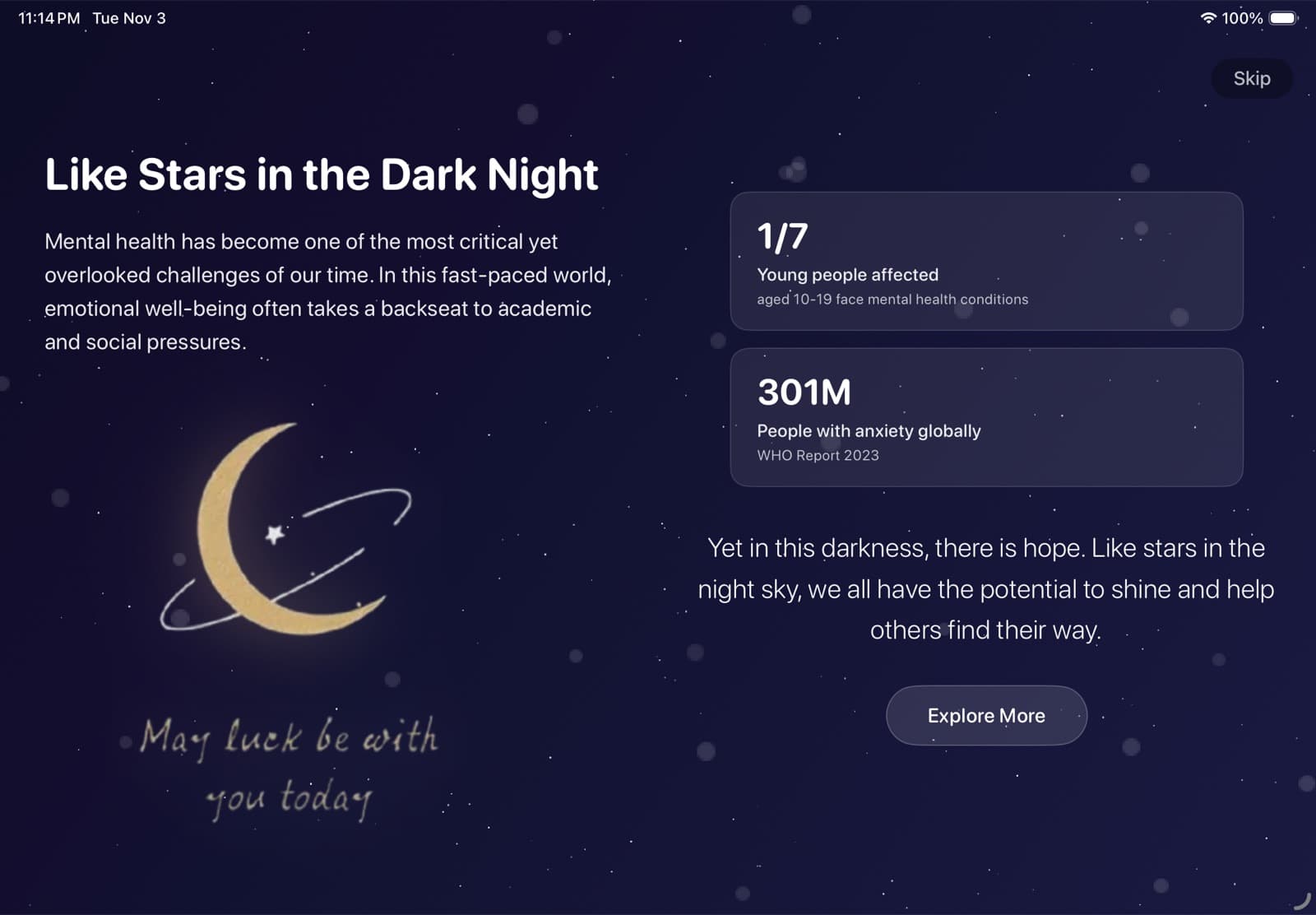
So I looked for a problem I actually cared about, rather than one that would look good on a form, and landed on mental health in young people. It was close to me and to people around me, and the numbers were hard to look away from. In the first year of the pandemic, the WHO estimated that anxiety and depression rose by a quarter worldwide. One in seven people aged 10 to 19 lives with a mental health condition. The app opens with those numbers before it asks you to do anything.
Finding the shape
The first ideas came out of long conversations with the model, and they were all fine. A mood journal. A breathing timer. A chatbot that listens. Each was one feature in one category, each already exists on the App Store a hundred times over, and none of them asked anything new of the technology or looked like anything.
That is what a model gives you when you ask it for ideas: the most likely one. It is a good default and a weak competition entry. I kept asking it to combine things, and it kept handing back a neater version of a single idea.
The idea that stuck came from me looking at the problem sideways. Feelings are hard to talk about because they have no shape. Planets have a shape. What if each feeling, and each way of working through it, were a place you could visit?
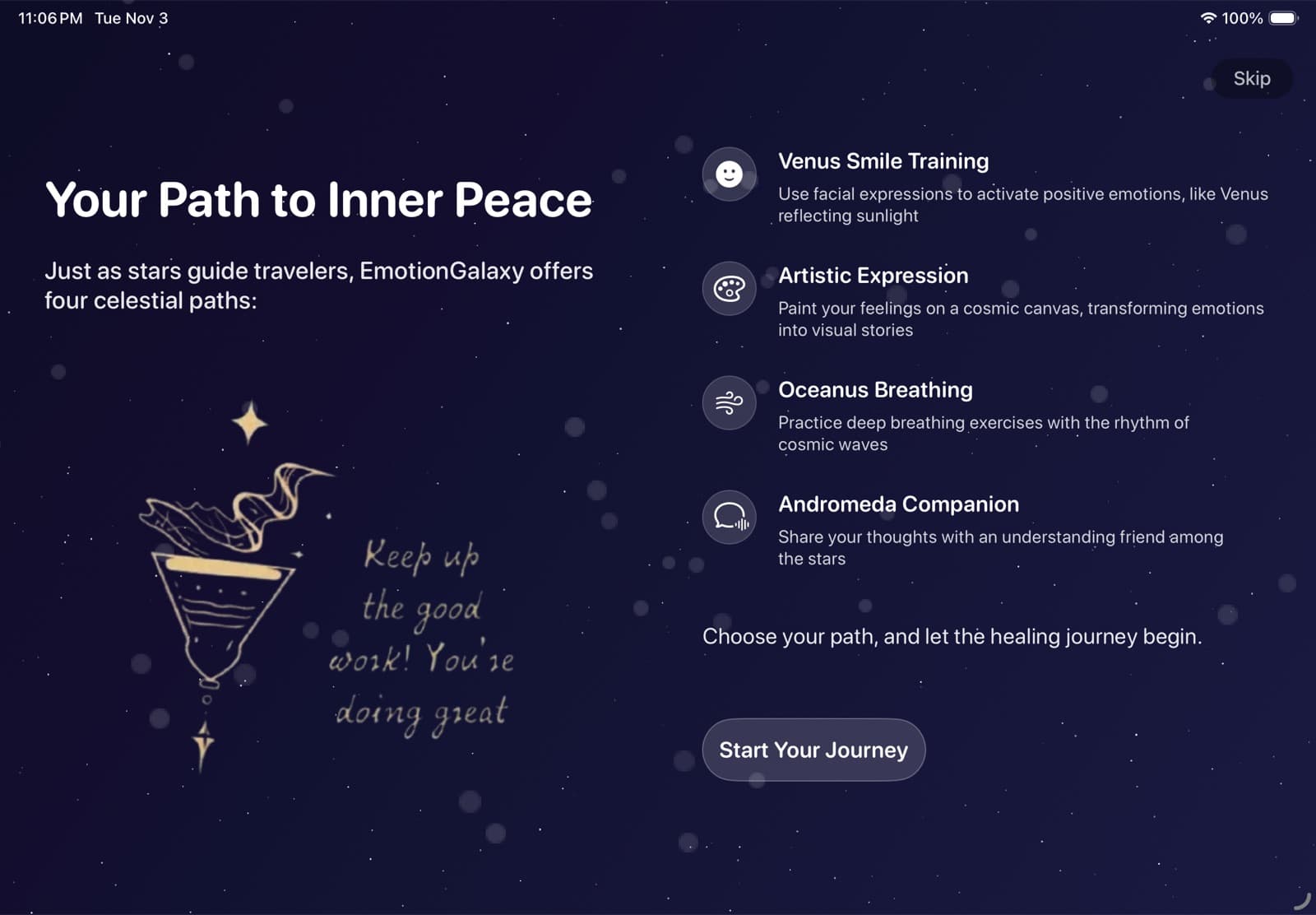
Once that existed, everything else had somewhere to go. Each planet would be one practice that therapists actually use, built on one framework that makes it possible: a smile for Vision, a drawing for PencilKit and Create ML, a breath for ARKit, a sentence for a text classifier. The planets unlock in order, so four frameworks become four chapters of one journey instead of a list of features. Then I took the shape back to the model and we worked out the plan together: the screens, the shared progress, what each planet needed.
I think of Emotion Galaxy as a game more than an app. It has levels, progress and an ending. That framing did a lot of quiet work. A wellness app asks you to be disciplined. A game just asks you to keep going.
Planet 01 · Smile
Venus. Smile, and hold it
- Practice
- Smile training. Even a deliberate smile can lift your mood a little.
- Built on
- Vision face landmarks, AVFoundation camera
- Hard part
- Deciding what counts as a smile, fast enough to run on every frame
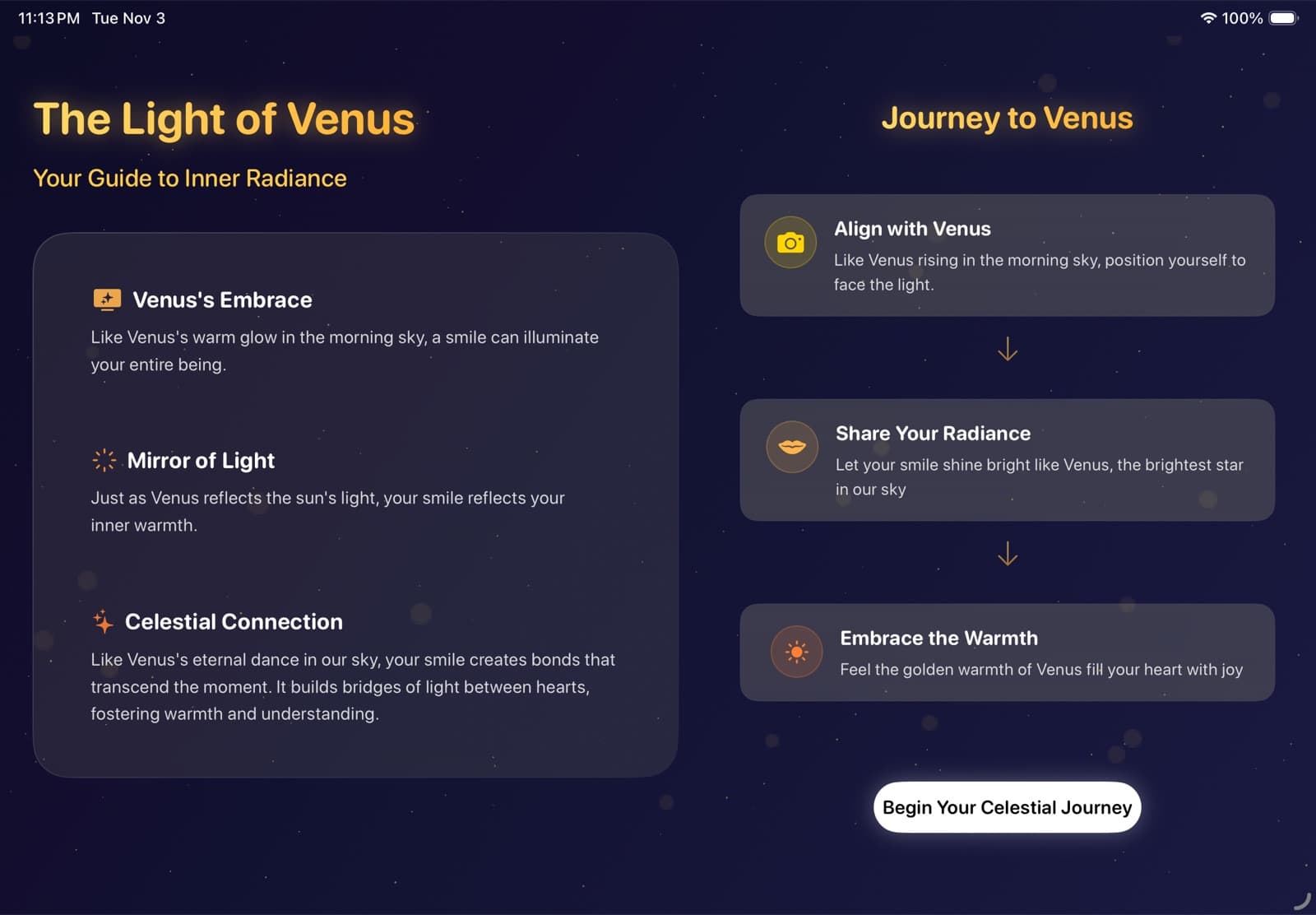
Venus asks for one thing: smile at the camera and hold it for two seconds. It is the easiest planet on purpose. The first thing the app asks of you should be small, and a little silly.
AVFoundation streams the camera, and for every frame Vision's VNDetectFaceLandmarksRequest returns the outline of your lips as normalised points. There is no smile model. The whole decision is three numbers:
// Outer lip points from Vision, normalised to 0...1let leftCorner = mouthPoints[0]let rightCorner = mouthPoints[6]let topCenter = mouthPoints[3]let bottomCenter = mouthPoints[9]let middle = (topCenter.y + bottomCenter.y) / 2let left = abs(leftCorner.y - middle)let right = abs(rightCorner.y - middle)let open = abs(topCenter.y - bottomCenter.y)return (left > 0.2 || right > 0.2) // one corner clearly lifted && (left > 0.1 && right > 0.1) // both corners moving && open > 0.08 // lips parted a littleWhile that holds, a ring fills and a timer counts down from 2.0. The moment the smile drops, it resets to zero. It is a crude rule, but it is instant, and a ring that lagged behind your face would break the moment. The camera only turns on after a guide screen explains why, because nobody likes a surprise camera.
Planet 02 · Draw
Artistic. Draw, and it becomes your planet
- Practice
- Art therapy, through four symbols it leans on: a flower, a tree, a river, stars
- Built on
- PencilKit, an image classifier I trained in Create ML, SceneKit
- Hard part
- Training data that looks like a quick sketch of a tree, not a photo of one
You draw four things with Apple Pencil, one per step. Each drawing goes through an image classifier I trained in Create ML on my Mac. The training data was the part the model could not do for me. I collected hand-drawn sketch sets from Kaggle and GitHub, sorted the trees, flowers, rivers and stars into classes, and trained on those. The finished model is about 50 KB, because Create ML only trains a small layer on top of an image feature extractor that already ships with the OS.
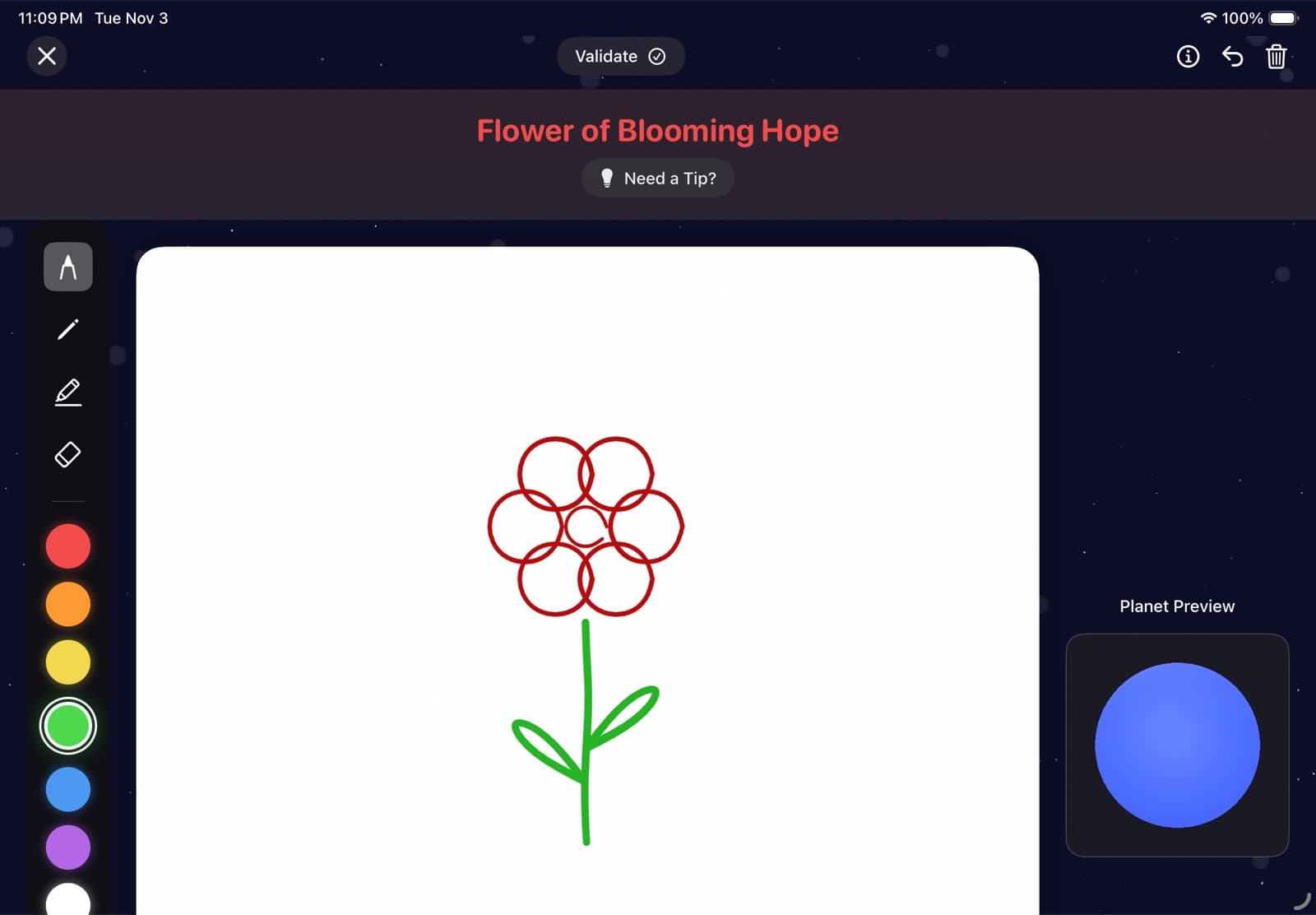
If the model does not see a tree, the app never says wrong. It says something like “maybe we could make it look more tree-like with branches.” In an app about feelings, the rejection message is part of the exercise.
Every accepted drawing becomes a texture. The app paints a blue gradient, layers your four drawings on top in the order you made them, each with its own blend mode, and wraps the result around a SceneKit sphere:
// Blue gradient first, then each drawing in the order you made itfor step in 1...4 { guard let texture = processedTextures[step] else { continue } let (_, v) = getStepColorAndVariations(step: step) texture.draw(in: canvas, blendMode: v.blendMode, alpha: v.baseAlpha)}material.diffuse.contents = combinedTexturematerial.emission.contents = combinedTexture // it glows with your drawingBy the end, the planet spinning on screen is made of what you drew. The small planet beside this chapter's title is painted the same way: blue first, then red, green, blue and yellow.
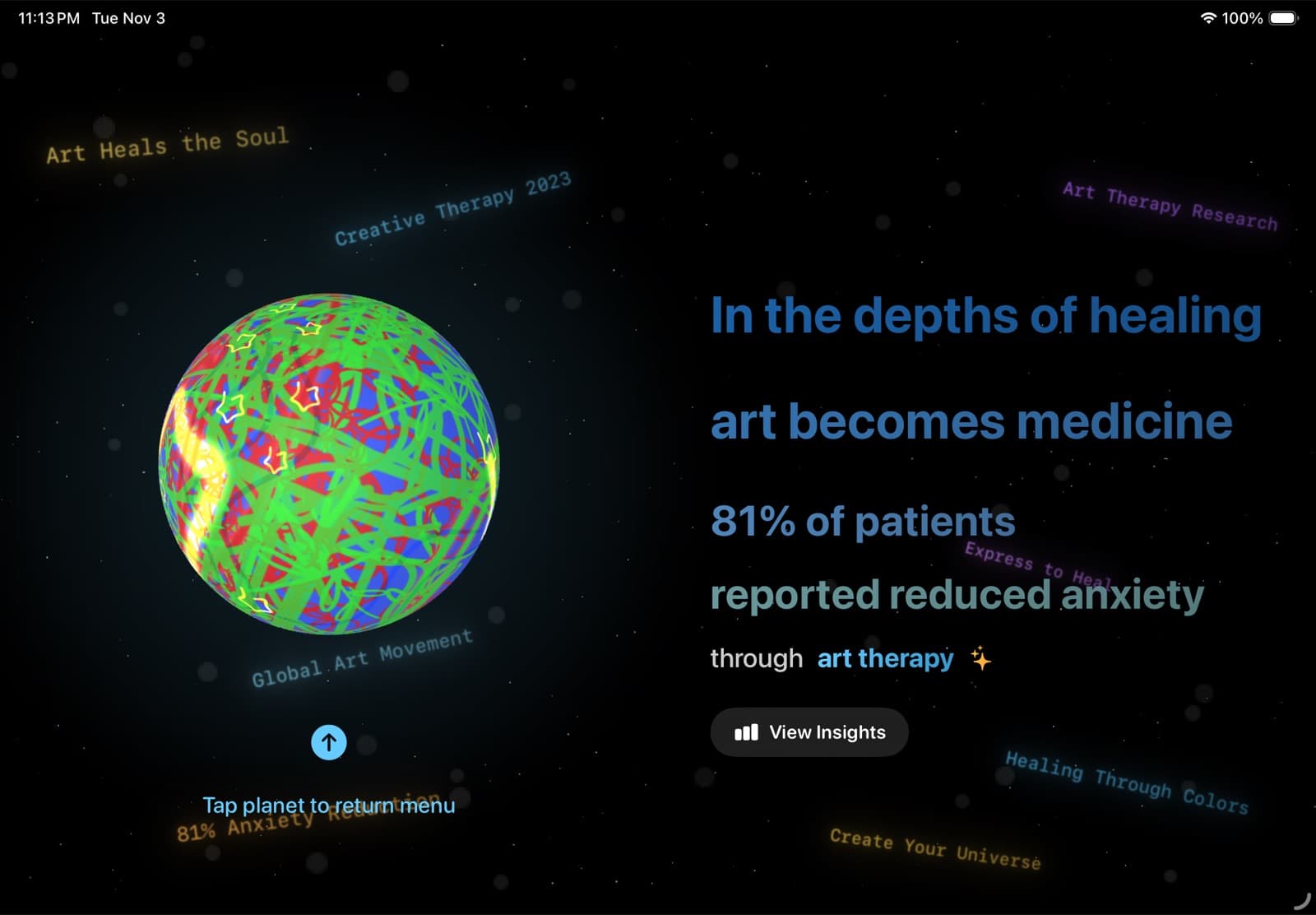
One honest note. The classifier sometimes failed on the very first drawing while it was still warming up. I did not have time to fix it properly, so the message for that step says: if this is your first try, tap Validate again. I put the same sentence in my notes to the judges.
Planet 03 · Breathe
Oceanus. Breathe with Neptune
- Practice
- Paced breathing: in for three seconds, hold for five, out for six
- Built on
- ARKit plane detection, RealityKit
- Hard part
- All of it. I had never written AR code, and the model was not much better
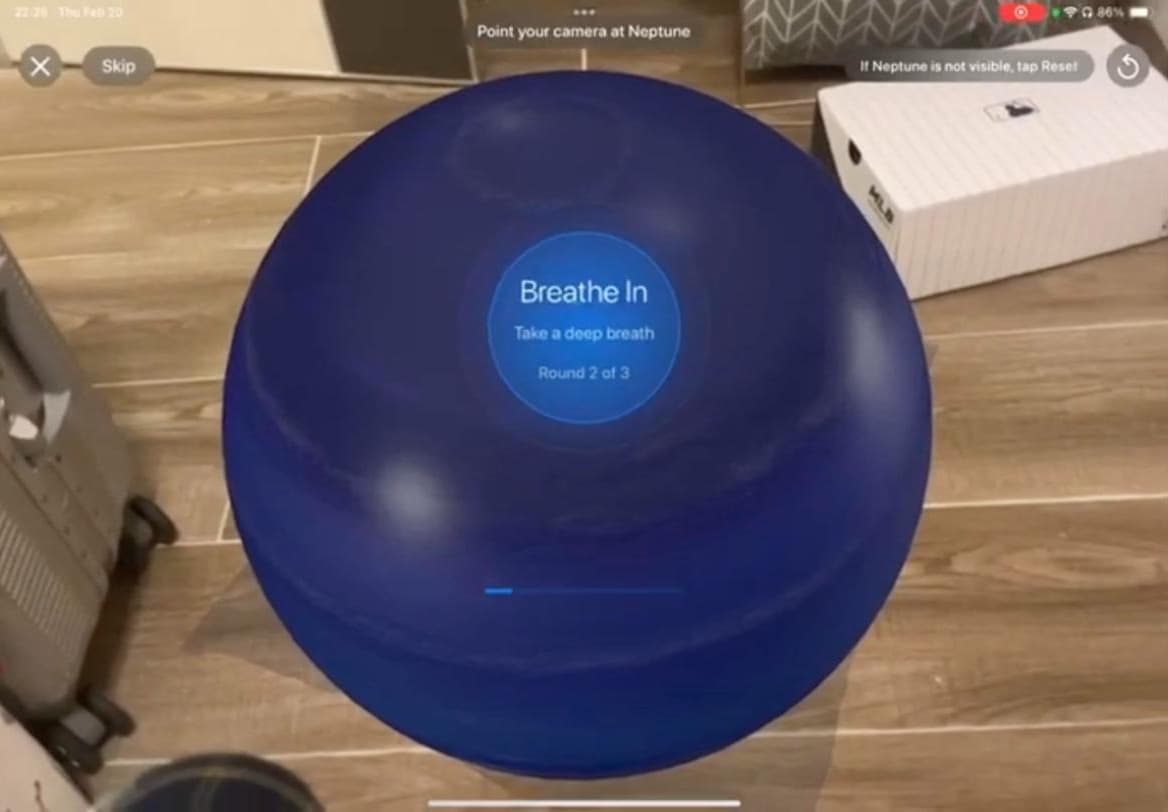
Oceanus puts Neptune and an ocean surface into your room. You walk around it and breathe with it: in for three seconds, hold for five, out for six. The long exhale is the point. It is the part that calms you down.
This was the hardest planet by far. ARKit scans the room for flat surfaces and reports them as planes, but its idea of the floor keeps changing as it sees more of the room. Put a planet on the first plane it reports and the planet is sitting on a guess. So the app scores every plane it tracks, and only lands Neptune on one that is big enough, level, and has stopped changing:
// Land Neptune only on a floor ARKit has stopped revisingtrackedPlanes .filter { _, info in let size = info.anchor.planeExtent let bigEnough = size.width >= 0.2 && size.height >= 0.2 // 20 cm let level = abs(info.anchor.transform.columns.2.y) > 0.98 let stable = info.stabilityScore >= 0.7 let settled = info.updateCount >= 10 return bigEnough && level && stable && settled } .max { $0.value.stabilityScore < $1.value.stabilityScore }Once Neptune is placed, RealityKit anchors it five centimetres above that plane, and plane detection is switched off so nothing moves under it again. Getting there took several days. More on that below.
Planet 04 · Talk
Andromeda. Say how you feel
- Practice
- Naming your feelings, and being reminded that they pass
- Built on
- A text classifier I trained in Create ML, Core ML, SwiftUI
- Hard part
- Ten emotions from a sentence or two, entirely on the iPad
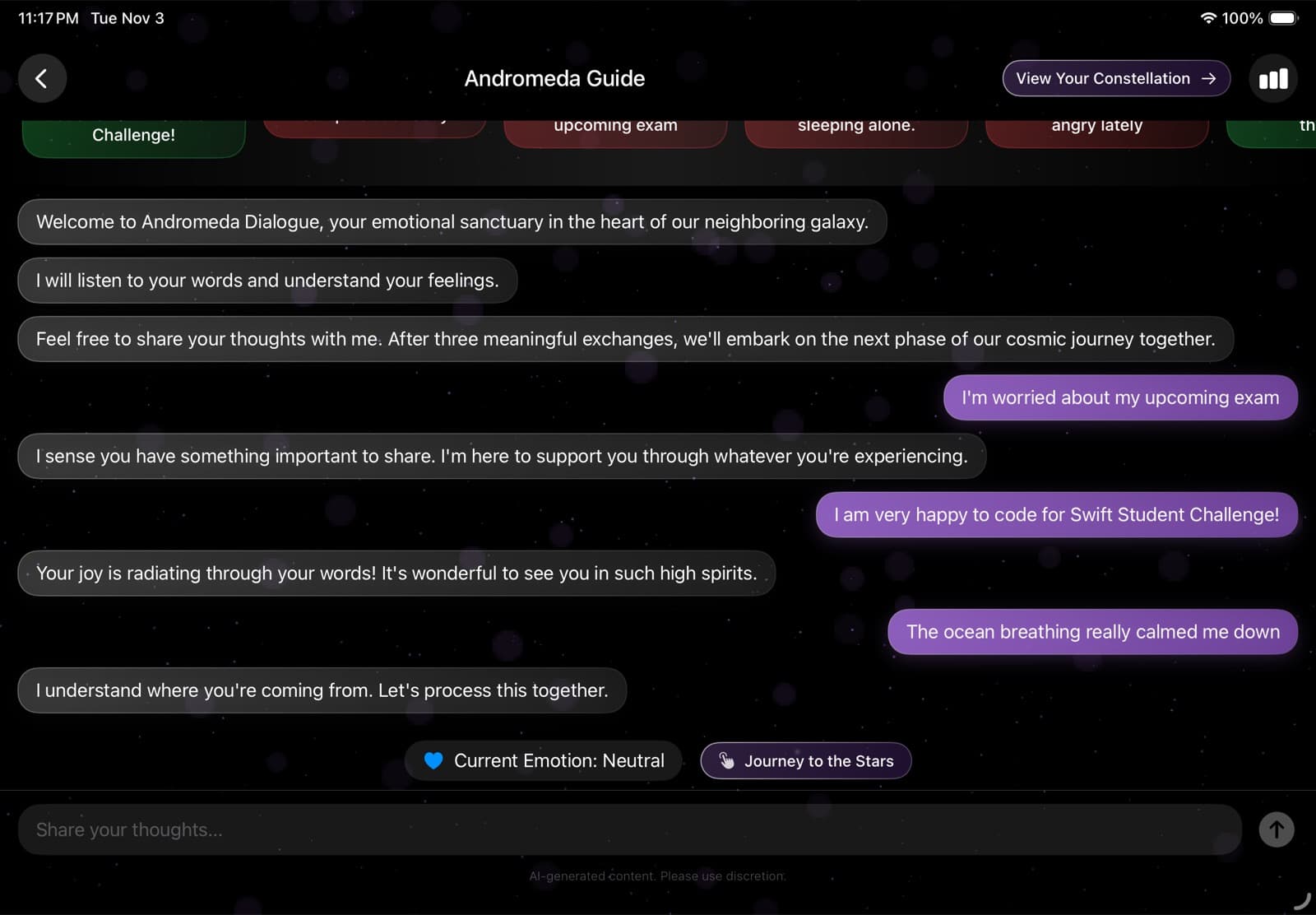
The last planet is a conversation. You write how you feel, or tap a suggestion like “I'm worried about my upcoming exam.” A text classifier labels it as one of ten emotions. I trained it in Create ML on 3,337 sentences about feelings that I collected online and labelled myself: happy, hopeful, confident, neutral, confused, depressed, anxious, angry, stressed and lonely.
Ten labels are good for showing you what you said. They are too many to write good replies for, so the app folds them into three:
// Ten labels from the classifier, three kinds of replyvar category: EmotionCategory { switch self { case .happy, .hopeful, .confident: return .positive case .neutral, .confused: return .neutral case .depression, .anxiety, .anger, .stress, .loneliness: return .negative }}// App playgrounds ship the raw model,// so it is compiled on the iPad the first time it loadslet compiled = try await MLModel.compileModel(at: modelURL)model = try MLModel(contentsOf: compiled, configuration: config)After three exchanges, the journey moves on. Everything runs on the iPad: no server, no API call, nothing you type leaves the device. The challenge required the app to work offline anyway, but for an app that asks how you really feel, I would have made the same choice regardless.
The end of a planet, and of the journey
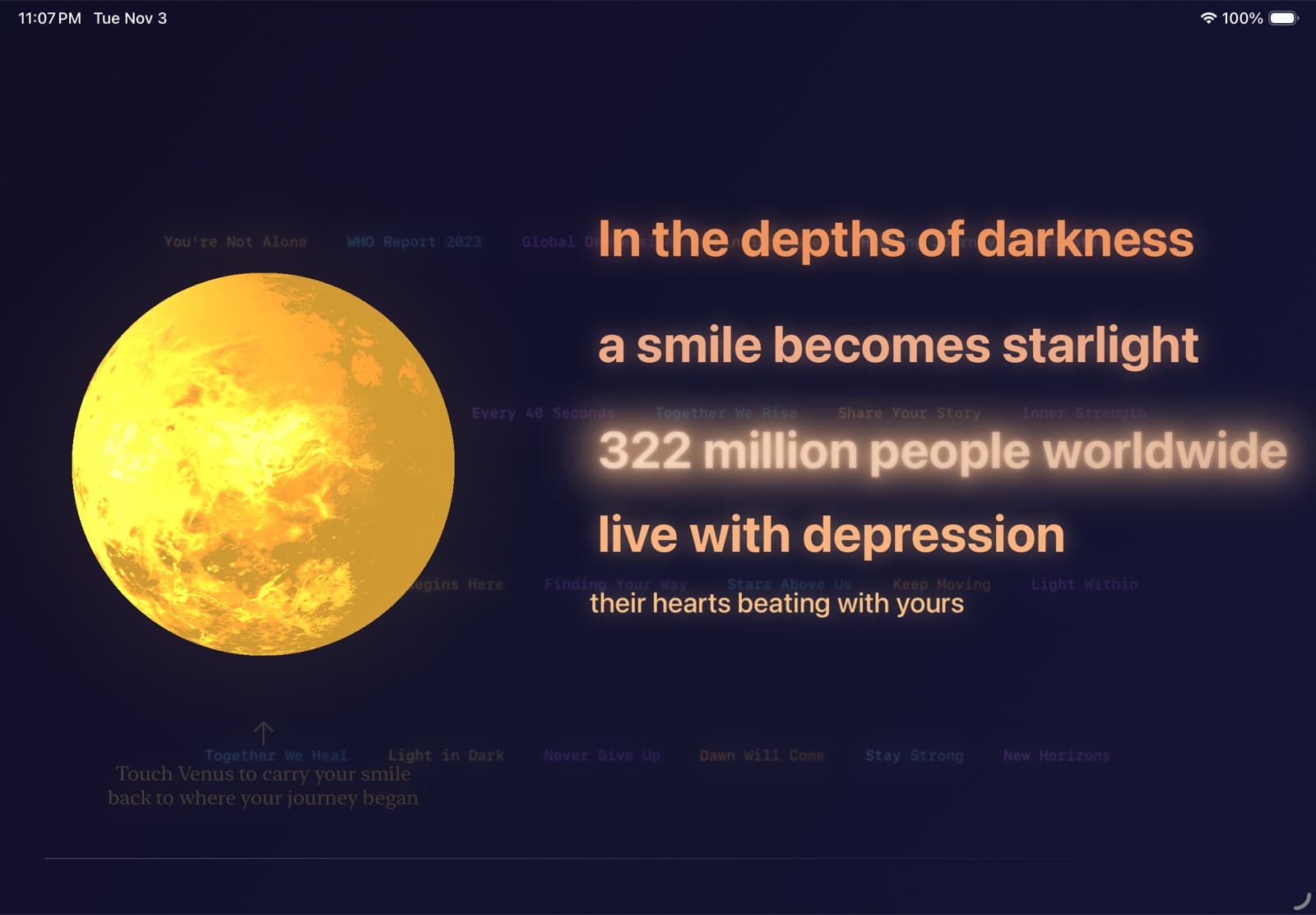
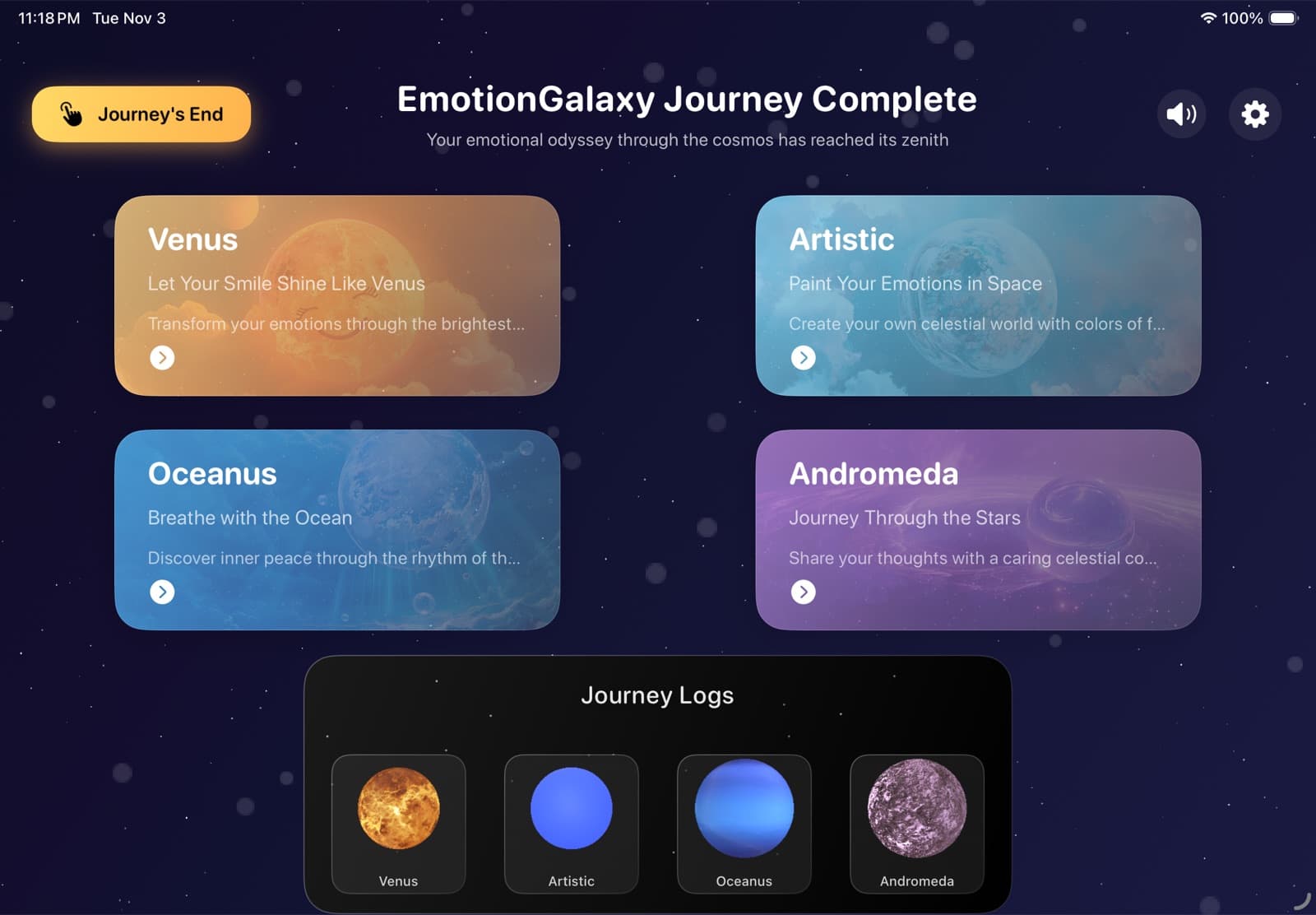
Every planet ends the same way: a 3D version of it in SceneKit, wrapped in particles, that you can spin with a finger. Then you are back at the menu, the next card unlocks, and a journey log fills in. The repetition is deliberate. It tells you that you finished something, and where you are.
01 Venus
02 Artistic
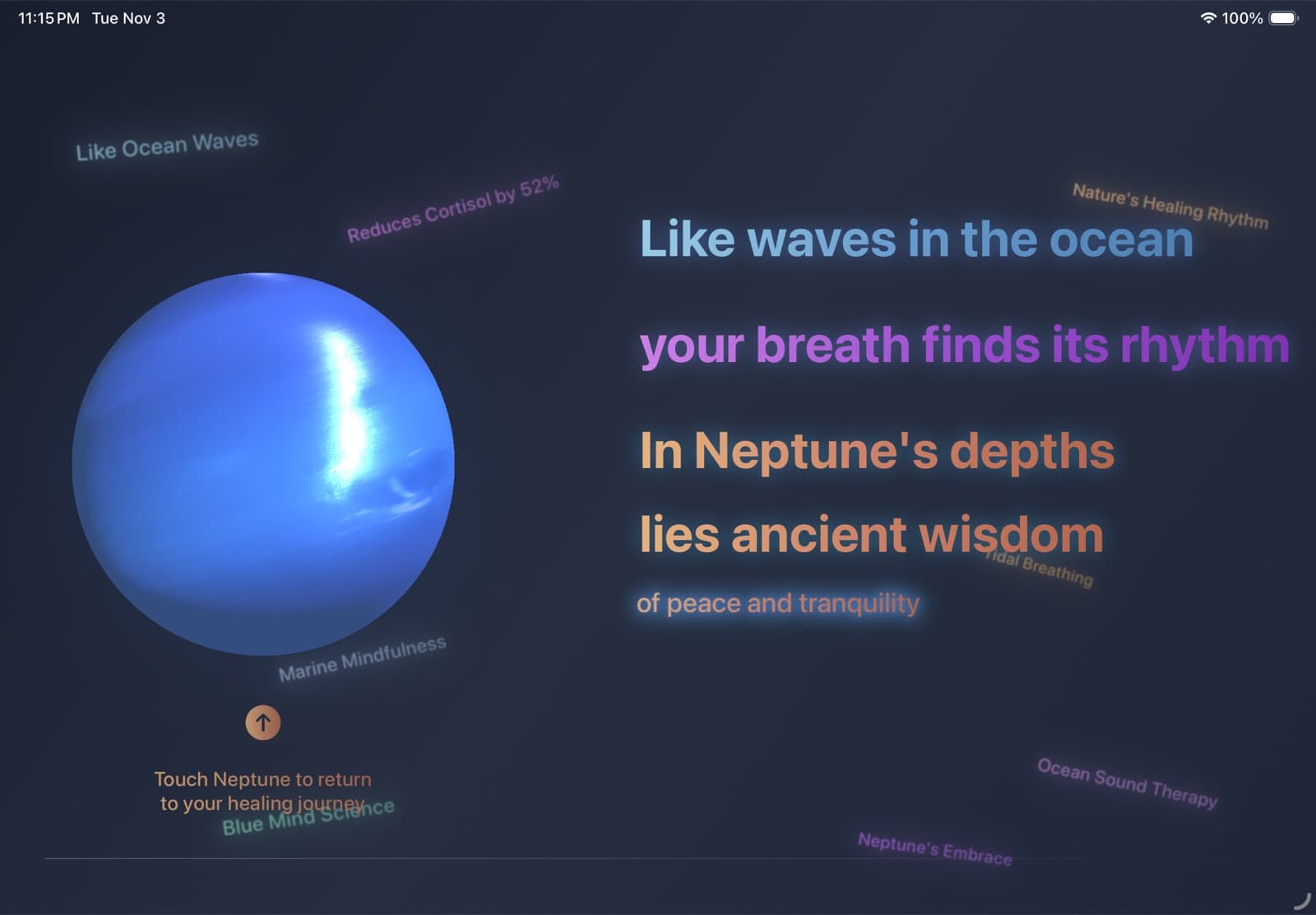
03 Oceanus
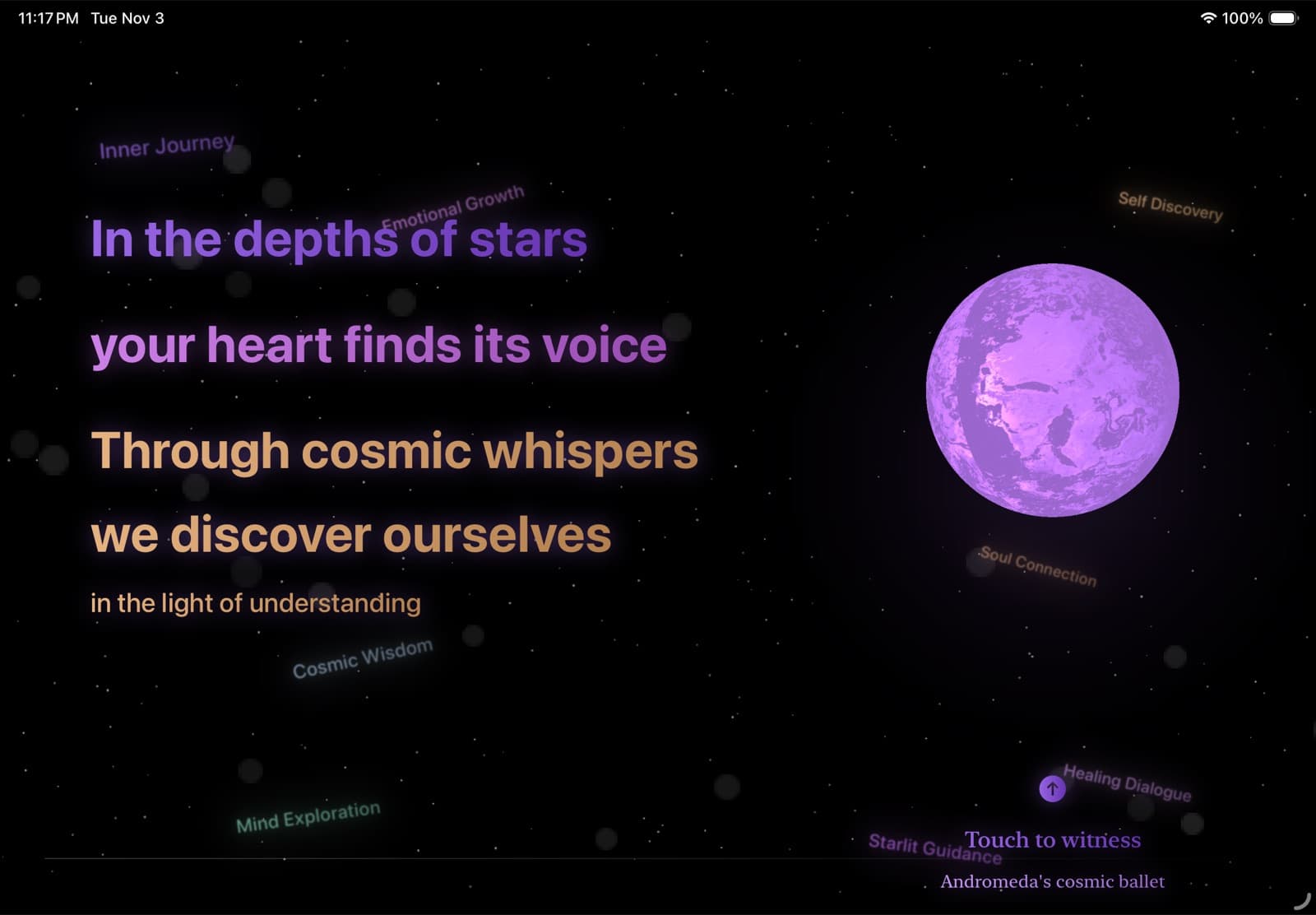
04 Andromeda
After Andromeda, the app ends with a slow credits sequence, one verse per planet, the way a film ends. I wanted the last screen to feel like something finished, not a toast that says Done.
How I worked with the model
Emotion Galaxy was written in Cursor with Claude 3.5 Sonnet, the October 2024 version people were calling 3.6. Claude 3.7 Sonnet came out the day after the deadline, so none of this was built with it. The artwork came from Midjourney and GPT, and the planet textures and music from open-licence sources. The work split roughly like this:
What I did
- The idea, and the shape of the game
- How the planets connect: screens, shared progress, unlock order
- What each planet should feel like
- Collecting and labelling training data for both classifiers
- Reading Apple’s docs when the model was lost
- Deciding when it was good enough
What Claude 3.5 Sonnet did
- Every line of Swift
- SwiftUI layouts and animations
- Camera, Vision and Core ML plumbing
- Drafts of the AR scene, many of them
- Logging, everywhere
The model was excellent at code it had seen a thousand times. A SwiftUI layout, a camera session, a Vision request: I described what I wanted and it appeared, usually working. Where it broke was anything thin on the internet, and in early 2025 RealityKit on iPad was exactly that. For Oceanus it kept giving me code that compiled and then did nothing. No planet, no error.
Three habits got me through, and I still work this way.
Describe the screen, not the code. “When I point the iPad at the floor, Neptune should appear on it and stay there when I walk around” is a better request than “add an anchor entity.” The model knows a lot of APIs. It does not know what you are looking at.
Bring the documentation in. When the model was guessing, I read Apple's docs myself, found the parts that mattered, and pasted them into the conversation along with what I understood from them. That changed its answers more than any amount of rephrasing.
Make everything visible. I had the model log every step, so when something broke the console showed where it stopped. The project has 133 print statements, about half of them starting with an emoji. These are the ones from getting Neptune into the room:
print("🔄 Setting up Neptune entity...")print("📏 Original model bounds: min=\(bounds.min), max=\(bounds.max)")print("🎯 Initial position: \(modelEntity.position)")print("❌ 模型加载失败: \(error.localizedDescription)")It took several days of this to make one planet sit on a real floor. It is still the part of the app I am proudest of, and the part where I wrote the least code.
Writing the application
The code is half of a submission. The other half is a form, and Apple lists the written answers as one of the three things it judges, next to technical accomplishment and creativity. I gave it the same care as the AR planet. A few things I did on purpose:
Make every clause in the one sentence work. Fifty words had to say who it is for (teenagers and young adults), what it is (a journey through four scenarios), how (smile, art, breath, conversation) and why (making mental health care more approachable).
Never name a framework without its job. In the long answer, every planet gets the same three beats: the framework, what it does in this app, and why that helps a person. Judges read a lot of these, and a repeated pattern makes mine easy to scan. Tying every API to a purpose is also the whole argument: the technology is there for someone.
Be specific once. I named VNDetectFaceLandmarksRequest exactly once, to show I knew what was under the hood, and then went back to plain language.
Write the notes for someone alone with your app. The judge is a user you will never meet. So the notes say which iPad to use, to use a Pencil, to set the volume to 20%, that the first launch is slow, and to tap Validate twice. Those notes are the onboarding.
Disclose what the form asks for. It asks about content you did not make, so the notes list the Midjourney images, the open-licence textures and the public domain music. It costs one paragraph and removes a question. The form did not ask about coding tools, so the application never mentions AI. For the record, here: Claude 3.5 Sonnet wrote 100% of the code.
Here is the application as I sent it.
Q1Tell us about your app playground in one sentence. What problem is it trying to solve?
49 / 50 wordsEmotionGalaxy is a therapeutic journey that helps both individuals with emotional disorders and those seeking mental wellness, especially teenagers and young adults, understand and manage their emotional health through four interactive cosmic scenarios: smile training, artistic expression, breathing exercises, and ML emotional chatting, making mental health care more approachable.
Read the full application, five more answers ↓Collapse ↑
Q2Describe the user experience you were aiming for, and why you chose the frameworks you used to achieve it.
483 / 500 wordsIn EmotionGalaxy, I aimed to create a therapeutic journey that helps both individuals experiencing emotional challenges and those seeking to understand mental health better. The experience is designed to be accessible during moments of emotional instability while helping everyone recognize that mental health concerns are both important and approachable.
The journey begins with powerful statistics about global mental health, setting the context through an intuitive SwiftUI interface. Users then explore four unique cosmic scenarios:
The Venus scene utilizes Vision and AVFoundation frameworks for smile detection through the device camera. I used the Vision framework’s facial landmark detection (VNDetectFaceLandmarksRequest) to analyze mouth curvature changes and determine whether the user is smiling, and AVFoundation for smooth camera handling, creating an engaging experience where users must maintain a smile for two seconds. This interaction is based on psychological research showing that even artificial smiles can positively impact mood.
In the Artistic planet, I implemented PencilKit for natural drawing interactions and CoreML for drawing recognition. PencilKit provides a fluid, pressure-sensitive drawing experience, while a custom-trained CoreML model analyzes users’ drawings of flowers, trees, rivers, and stars—symbols commonly associated with emotional healing in art therapy. Users’ drawings are converted into 2D textures by SpriteKit and mapped onto the surface of their personal planet using SceneKit, creating a meaningful visualization of their emotional journey.
The Oceanus experience leverages ARKit and RealityKit to project Neptune into the user’s space. ARKit is responsible for detecting the user’s physical environment and ensuring correct placement of Neptune, while RealityKit renders the 3D model, integrating it into the real-world space for an immersive experience.These frameworks create an immersive breathing exercise, allowing users to walk around and interact with a 3D Neptune model while synchronizing their breathing with its rhythm—a well-established technique for anxiety relief.
For the Andromeda companion, I used CoreML’s text classification capabilities to analyze users’ emotional journal entries, identifying sentiment categories based on a pre-trained model. Combined with SwiftUI’s fluid animations, this system provides appropriate emotional feedback, helping users recognize that negative emotions are temporary. By analyzing text input, the framework detects emotional states and offers supportive responses, reinforcing the idea that negative emotions are temporary.
Each planet’s CompletionView uses SceneKit for interactive 3D planet visualization, with custom particle systems creating an engaging cosmic atmosphere. This reinforces the journey’s message about mental health awareness through visual storytelling.
For visual assets, I utilized Midjourney AI to generate cosmic imagery that perfectly matched my vision for each planet’s unique atmosphere, ensuring a cohesive and immersive experience throughout the journey.
The journey concludes with a cinematic ending sequence, […] using SwiftUI’s animation to create a moving credits sequence. It encourages users to share their understanding of mental health. For general users, it’s a reminder that mental health challenges are common and deserve attention, while for those facing depression and anxiety, it offers relief, helping them see these struggles are manageable and not to be feared.
Q3Tell us about yourself, and what inspired your app playground.
This answer was about me. It stays off this page.
Q4Beyond the Swift Student Challenge, how have you used your coding skills to support your community?
With the support of my mental health community, my peers and I raised the funds of Apple Developer Account and launched two apps that I developed.
The first, EmoEase, blends journaling, real-time emotion tracking, and AI to support mental well-being. Users start and end their day by logging their thoughts, tracking emotions with built-in mood options, and engaging with LLM-powered conversations to ease distress. A historical journal and weekly view help them recognize emotional patterns. Though currently localized for China, it has already provided comfort to many.
The second, Bull & Horse Clock, was designed for ADHD users to boost focus by displaying real-time earnings as they work. Unexpectedly, it resonated with a broader audience, becoming a motivational tool for many professionals. It has now reached 1,000+ downloads worldwide.
Both apps come from a place of understanding and empathy—built not just to solve problems, but to help people feel seen and supported. Through coding, I’ve turned personal struggles into solutions, and I hope these apps continue to make a difference in people’s lives.
Q5Is there anything else you’d like the judges to know when running your app playground?
This Swift Playground runs best on an 11-inch iPad, and it is recommended to use this device for the optimal experience. Additionally, using an Apple Pencil is highly recommended, as the experience involves drawing, which is processed by a pre-trained CoreML model.
In the first drawing scene of Artistic Planet (Blooming Hope), users need to tap “Validate” twice to submit their artwork for recognition.
When launching the Swift Playground, please set the volume to 20%. The first time you open it in the swift playground, it takes a long time.
Q6Did you use content or resources you don’t own?
I utilized open-license planetary texture images from copyright-free websites to enhance the celestial textures in my CompletionView and SceneMenuView, which were integrated into SceneKit. Additionally, I incorporated copyright-free music from public domain sources to enhance the immersive realism and therapeutic effect of interstellar travel. All other images were AI-generated and do not involve copyright infringement.
Questions paraphrased from the form. Answers as submitted, except […] where I cut a line, and two App Store links and the legal acknowledgements, removed.
Afterwards
Feb 22, 2025 · 00:37
Submitted, two days before the deadline.
Mar 27, 2025
Named a Distinguished Winner, one of 50 among 350 winners.
Apr 2025
Released on the App Store, iPad only.
Jun 2025
WWDC25 in Cupertino.
Apple brought the Distinguished Winners to Apple Park for WWDC. That trip deserves its own post.
Jul 2025
Opened the demos at the Cursor Hong Kong meetup.
Including how I split the work between Xcode and Cursor.
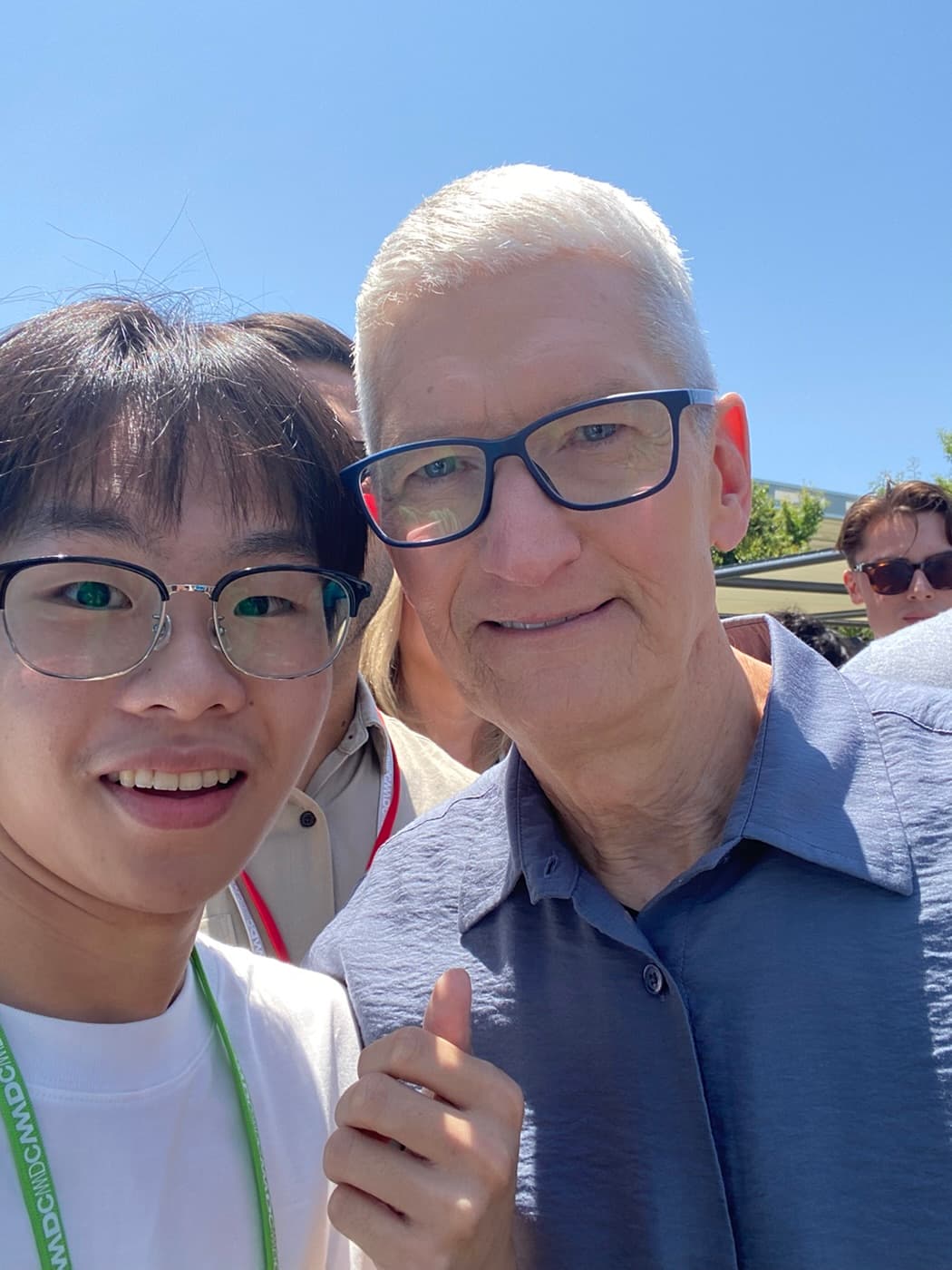
With Tim Cook
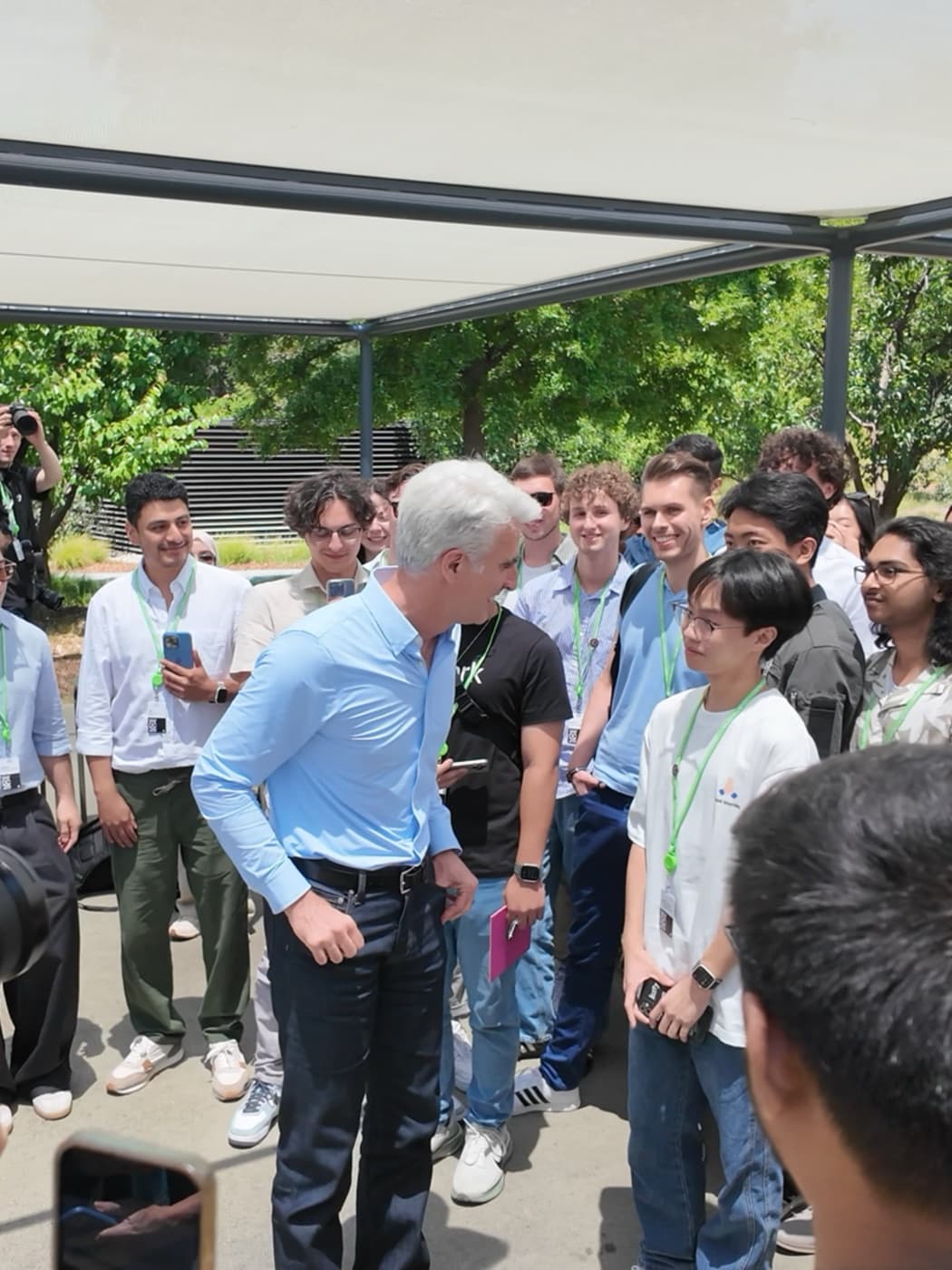
Telling Craig Federighi about the app
What I think now
Emotion Galaxy is what one person could build in three weeks with Claude 3.5 Sonnet. Today the AR planet would take an afternoon. The code is the part that got cheap.
What did not get cheaper is everything around it: choosing a problem worth solving, turning a vague wish into a shape, collecting the data nobody had collected, noticing when the model is guessing, and writing the case for why any of it matters. Those were my three weeks.
It also changed what I wanted to work on. I had watched the same model be brilliant at SwiftUI and lost in RealityKit, and I wanted to know why: what it had learned, from what, and how far that goes. That question is a large part of why I now work on the model itself, on pretraining and on measuring what models can actually do.
Models give you the likeliest answer. Your job is to ask for the unlikely one.